One scorecard for the numbers that matter, one list of issues to
solve, and a weekly meeting that keeps everyone pulling the same
way. Your team reports from their phones. You see what needs you.
Free for 12 months with the Business Fundamentals course ·
software only $49/month
app.runmypractice.app
Set up in minutesName your practice, add your team, choose what they
report.
No logins for your teamEach person opens their own page from a private link.
No patient recordsBuilt for running the business, not for charts.
Works on any deviceComputer, tablet, or phone. Nothing to install.
Sound familiar?
Most practices are run from the owner’s head.
The numbers get checked when something feels off. The same
problems come up in every huddle. Repairs and good ideas live in
sticky notes and text threads. And everything waits on the doctor.
Without a rhythm
Numbers checked monthly, if at all
Problems talked about, never solved
To-dos with no owner and no due date
A team that waits on you for every decision
With Run My Practice
Numbers every week, red or green at a glance
Issues worked to a decision, then to a to-do
Every to-do has an owner and a due date
A team that reports and follows through on its own
How it works
One simple weekly rhythm.
The same four steps every week. After a month, it’s just how your
practice runs.
1
Measure
Each owner enters this week’s number. Green is on track, red is
off track.
2
Spot
Anything off track goes to the Issues List in one click, with
the number attached.
3
Solve
In your weekly meeting, find the root cause, decide, and agree
on the next step.
4
Follow through
Every decision becomes a to-do with an owner and a due date,
reviewed next week.
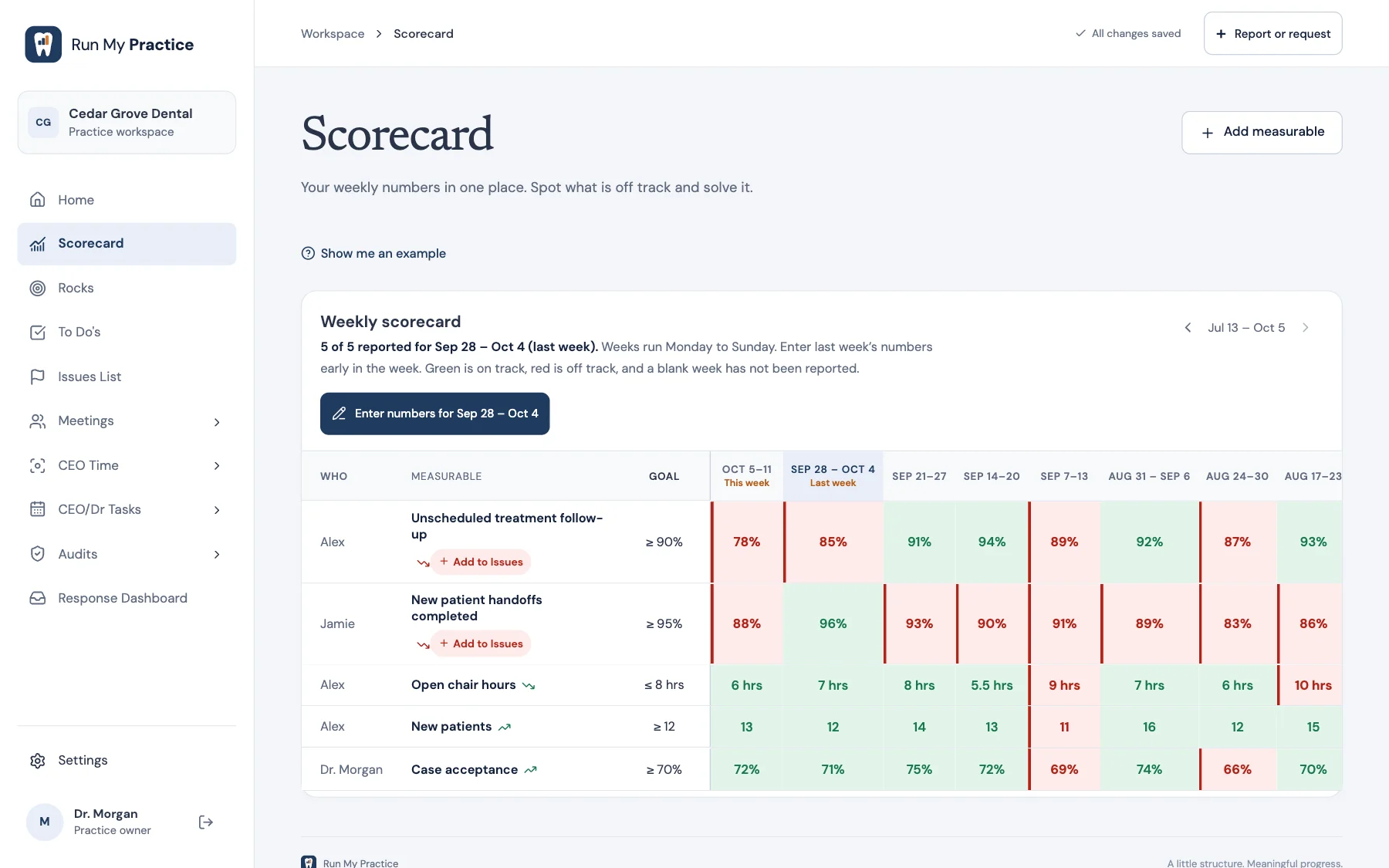
Weekly scorecard
The whole practice on one screen.
Pick the 5–15 numbers that tell you whether the week went well:
new patients, case acceptance, hygiene reappointment, open chair
hours. Each one has an owner and a goal, and thirteen weeks side
by side show the trend, not just the moment.
Type numbers in like a spreadsheet
Change a goal without rewriting past weeks
Send an off-track number to the Issues List in one click
Weekly meeting
A meeting with the agenda already built.
Start your weekly meeting and the course’s agenda leads the way:
good news, last week’s numbers, to-dos and Rocks, headlines,
then solving issues, each part with its own timer. Send anything
off track to the Issues List in one tap, and finish with a recap
you can send the team.
Weekly, monthly team, quarterly, and annual meetings
A timer for each part of the agenda
New to-dos land on the right person’s list
Issues List
Solve problems so they stay solved.
Rank what matters most, then work one issue at a time: identify
the root cause, discuss the options, and record the decision.
Nothing gets lost between meetings.
Identify, discuss, solve, in that order
Priorities keep the biggest issue first
Team reports become issues in one click
90-day Rocks
Priorities that actually move.
Choose a few big priorities each quarter. Break each one into
actions with owners and due dates, and update the progress every
week so nothing quietly stalls.
A clear owner and due date for every Rock
Progress you can see at a glance
Weekly CEO Time to keep them moving
Team reporting
Your team reports from their phone.
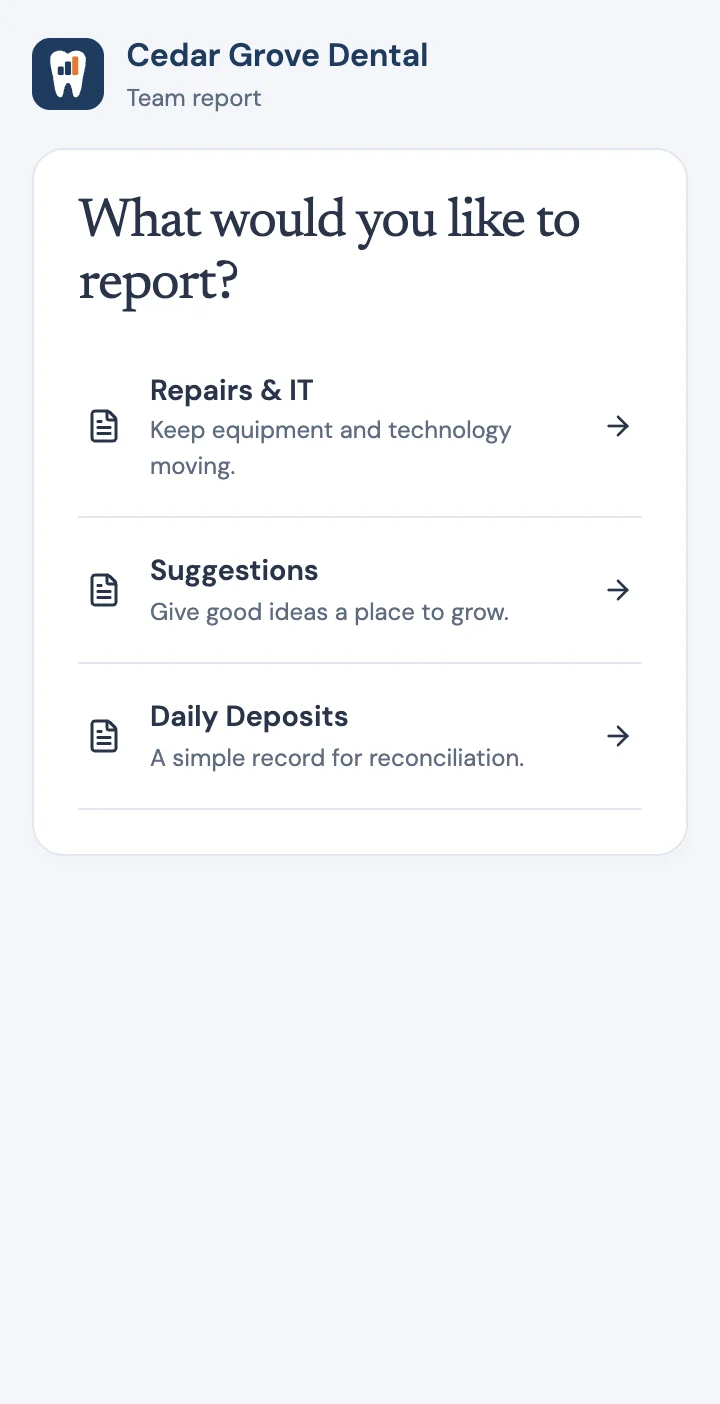
Share one private link with your office. Team members choose what
to report, like a repair, a suggestion, or the day’s deposits, and
it lands on your Response Dashboard for the right person to
review. Each person also gets a link to their own page with their
to-dos, their scorecard numbers, and the reports they review. No
accounts. No app to install.
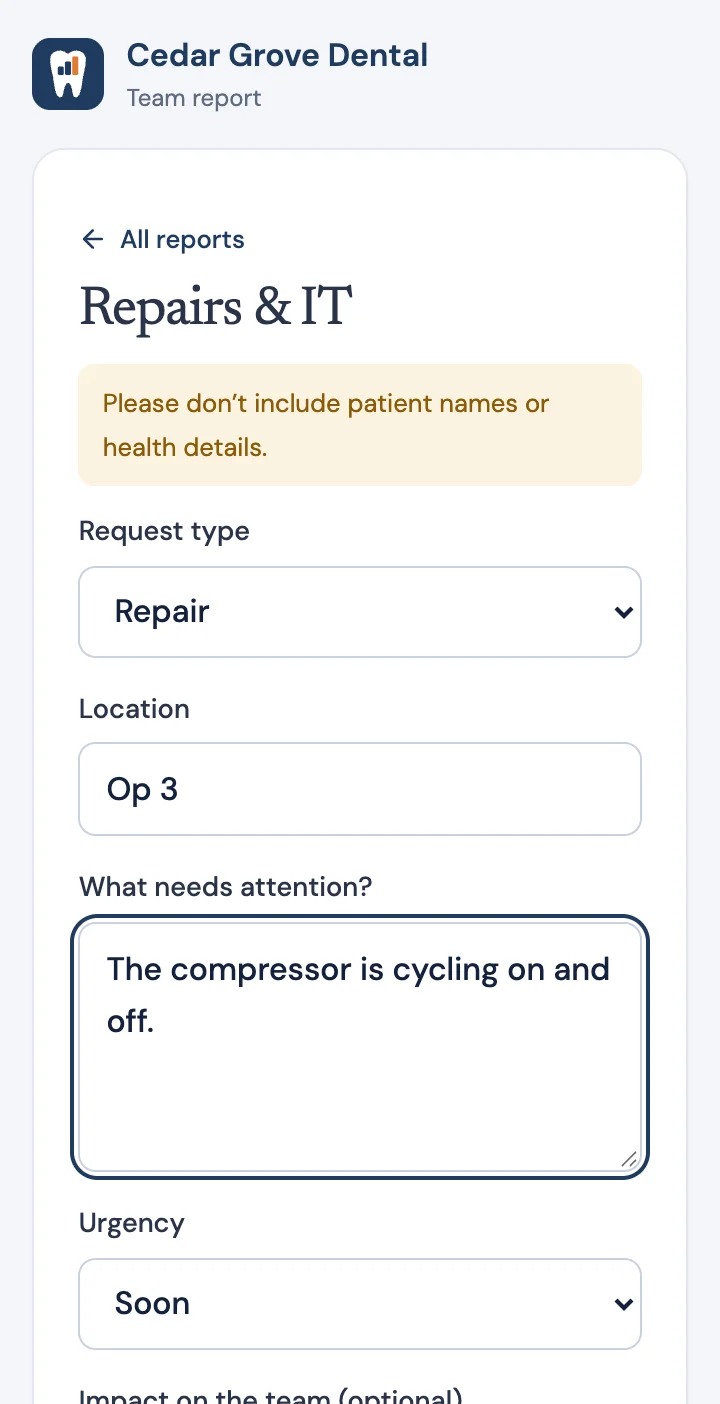
Pick what your team reports, or make your own forms
Each report goes to a reviewer you choose
Team members update their to-dos and enter their own numbers
Forms remind people to leave out patient details
Turn off an old link and share a new one anytime
Everything in one place
Built for how a dental office really runs.
CEO Time
A guided hour each week to review, clear your head, solve an
issue, and move a Rock, with a recap written for you.
Audits
Weekly critical checks plus monthly and quarterly core audits,
so standards hold when you’re not looking.
Doctor task lists
The daily, weekly, monthly, quarterly, and annual work only the
owner should do.
Response Dashboard
Every team report in one place, filtered by reviewer, with a
one-click path to the Issues List.
Your why and vision
Write down where the practice is headed, and keep it in front of
every decision.
Your data, always
Export your practice’s data anytime. Each practice is private to
its own account.
Your first week
Know exactly what to do first.
A launch checklist on your home screen walks you through the first
week: write your why and vision, add your team, start your
scorecard, set a 90-day Rock, share your team link, and finish
your first CEO Time. Each step checks itself off when it’s done.
Business Fundamentals is the course that teaches the method behind
every screen: how to choose your numbers, run a weekly meeting,
and solve issues so they stay solved. Run My Practice is where you
put it to work. Enroll in the course and the software is free for
your first 12 months.
No. The software works on its own for $49 a month. The course
teaches the why and the how behind each step, and when you
enroll, the software is free for your first 12 months.
Is this a patient record system?
No. Run My Practice is for running the business: numbers,
issues, priorities, and meetings. It isn’t meant to hold charts
or patient health information, and team report forms remind
people not to include patient names or health details.
Does my team need their own accounts?
No. Each person on your team gets a private link to their own
page, from any phone or computer. They see their own to-dos,
enter their scorecard numbers, review the reports you assign
them, and send reports. Your CEO/Dr Tasks, CEO Time, and
anything else private to you never appear there. Remove someone
from your team and their link stops working.
How long does setup take?
A few minutes. Name your practice, add your team, and choose
what they report. A checklist on your home screen walks you
through the rest of your first week.
Can I choose my own numbers?
Yes. Start from common dental numbers like new patients,
production, collections, and case acceptance, or add your own.
Change a goal anytime; past weeks keep the goal they were
measured against.
Can I get my data out?
Yes. Export your practice’s data from inside the app whenever
you like.
What happens after the free 12 months?
The software continues at $49 a month, which covers the software
only. We’ll reach out before your free year ends. Your practice
and its history stay right where they are.
Request access
Get your practice running this week.
Tell us a little about your practice. We read every request and
email you a personal sign-up link. Once it arrives, setup takes a
few minutes.